See what happens between lessons
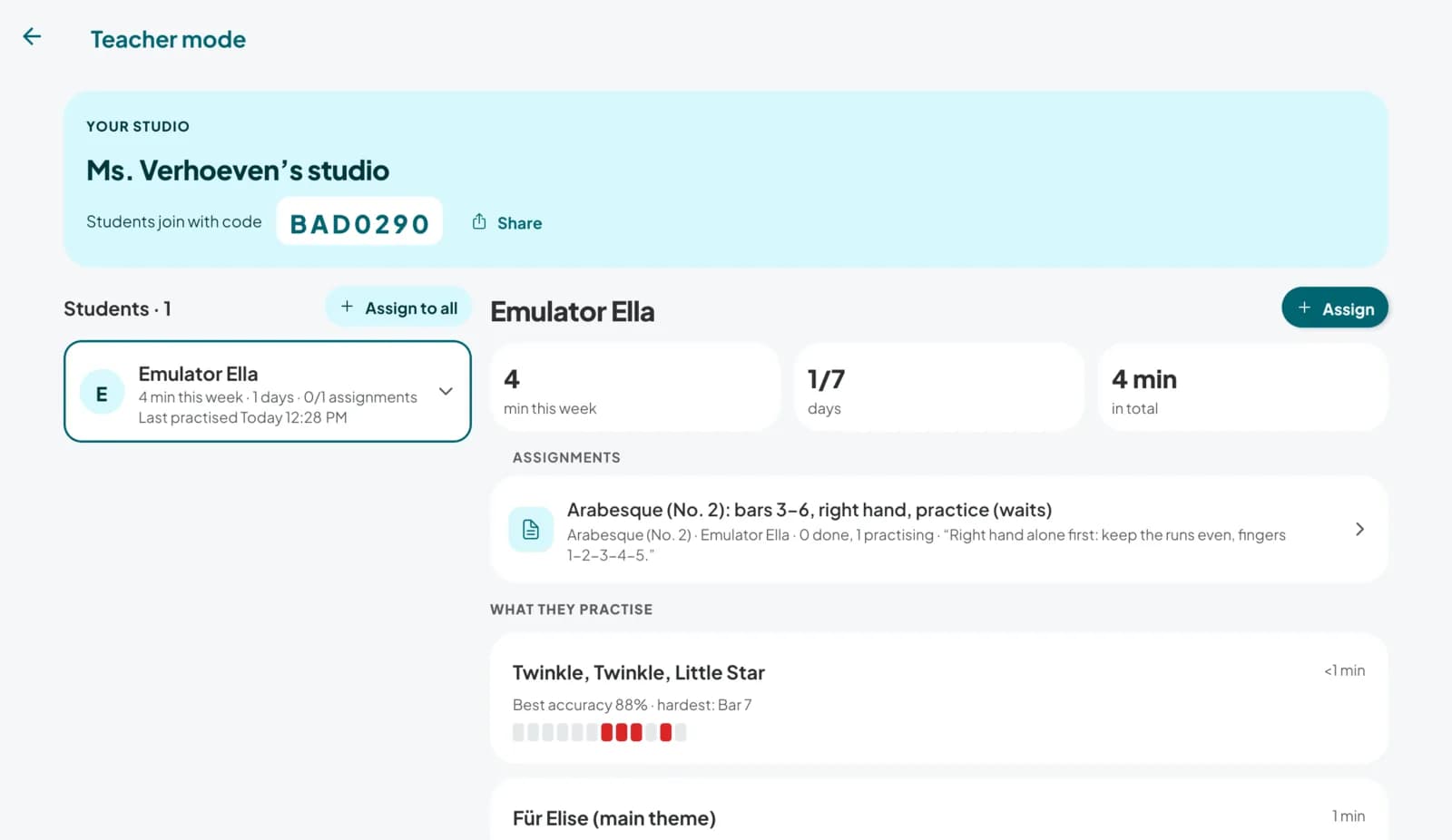
Create a studio, share a code, and your students' practice shows up on your phone: how long they played, which bars tripped them up, and whether they did what you asked.
Three steps, then it runs itself
Step 1: Create your studio
Set it up in teacher mode and you get a join code to share with your students.
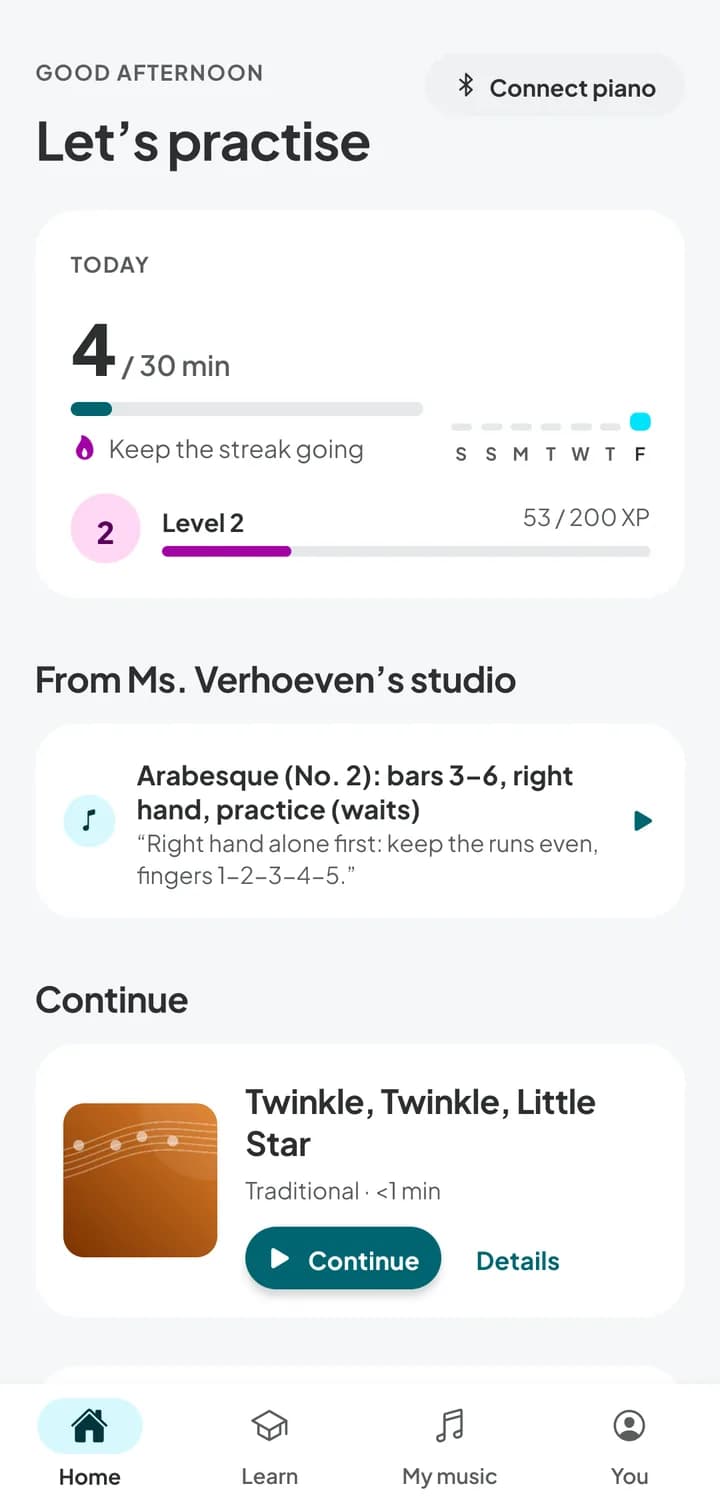
Step 2: Students join with the code
They enter it in the app on their phone, tablet or computer. That's the whole setup.
Step 3: Assign and follow along
Send a piece with the bars, hands and tempo to work on. Their practice shows up in your studio.
Where the practice went, bar by bar
Every student's week at a glance, and the detail when you need it. No more “I practised, honestly”.
- Practice minutes this week, days practised and total time
- Each piece they played, with their best accuracy
- Mistakes per bar, so you know where to start the lesson
- Which assignments are done, and which are still in progress
Best accuracy 88% · hardest: bar 4
Example data, for illustration
From Ms. Verhoeven's studio
Arabesque (No. 2)
- Bars
- 3 to 6
- Hands
- Right hand
- Tempo
- 80 BPM
- Mode
- Practice (waits)
“Right hand alone first: keep the runs even, fingers 1–2–3–4–5.”
Homework that opens ready to play
Choose the piece, the bars, the hands and the tempo, and add a note in your own words. On the student's phone it opens exactly as you set it up: no hunting for the right page, no practising the wrong section at full speed.
- Assign to one student or to the whole studio
- Practice mode waits for every note, so they can't rush it
- You see when it's started and when it's done
For teachers, asked often
Anything else? We'd love to hear how you teach and what would help.
What does it cost?
What do my students need?
Can I see exactly what they practised?
Is this meant to replace lessons?
Bring your studio into the week
Teacher mode is part of the Pianuance app. Download it, create your studio, and share the code with your students.
iPhone, iPad, Google Play and the web app are coming soon.