For students, returning players and their teachers
Sheet music that listens while you play.
Practise from real sheet music on your digital piano. Pianuance follows you through the score, marks every note, and shows you which bars to practise next.
Free to start · Works with any USB or Bluetooth MIDI piano
Windows · macOS · Linux · Android · iPhone, iPad & web soon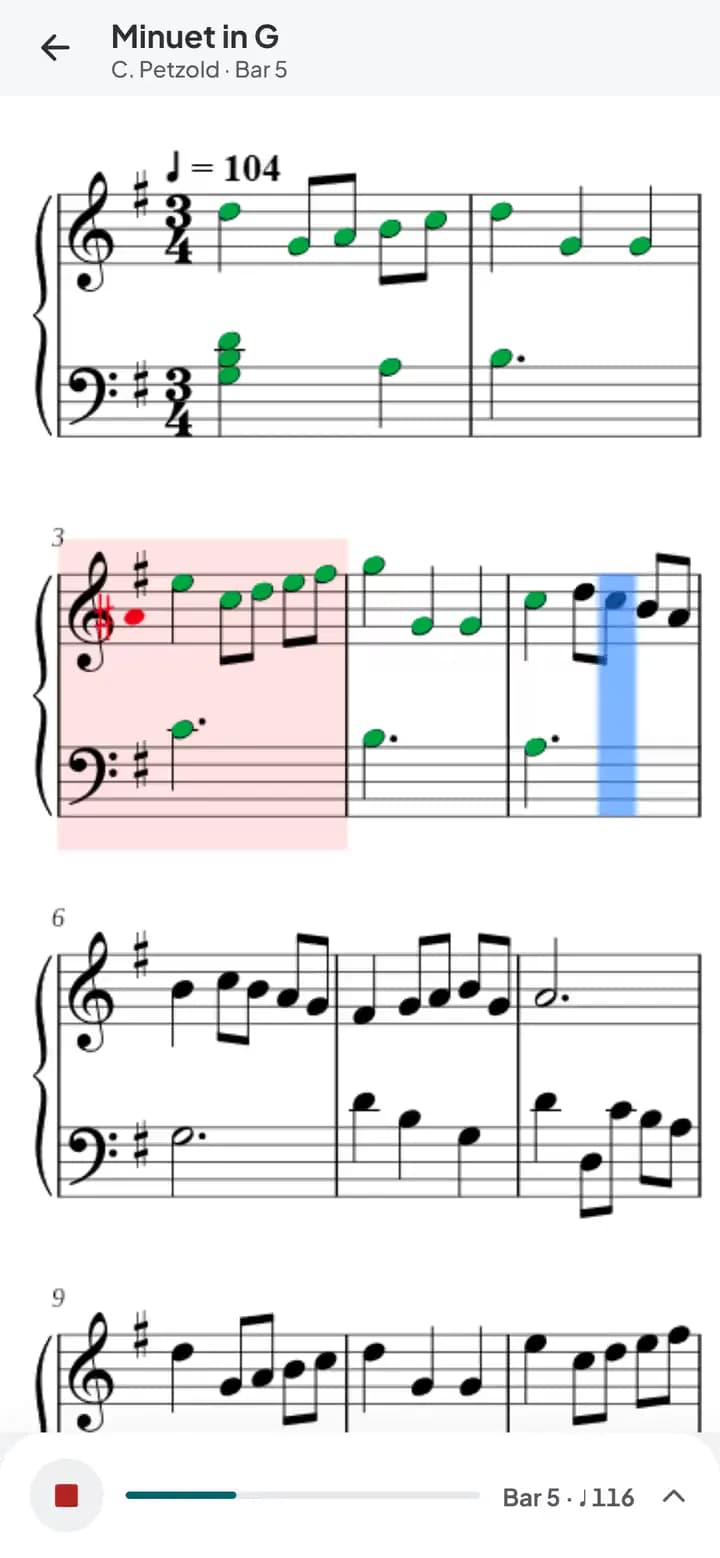
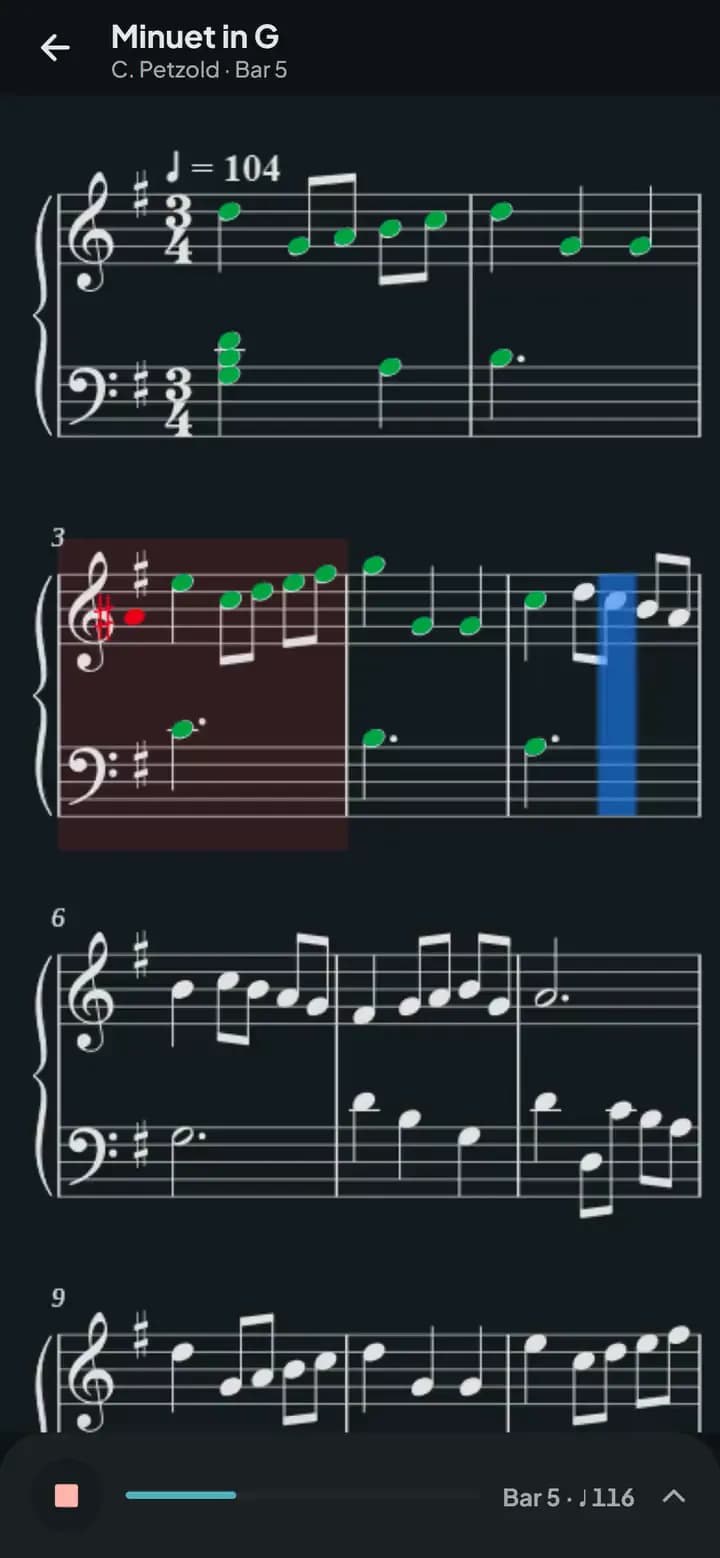
Recorded in the app, in Play along at quarter note 116. After a count-in the cursor follows the music beat by beat and moves on to the next line. Each note is marked as it's played: green when right, red when wrong, orange when missed. The pianist is a simulated player sending MIDI; the sound, off until you turn it on, is the app's own piano.
Plug in, play, and it hears every note
No microphone guesswork. Pianuance reads exactly what you play through MIDI, so it can tell a missed note from a wrong one, and a rushed beat from a late one.
Step 1: Connect your piano
Any digital piano or keyboard, over USB or Bluetooth MIDI.
Step 2: Play from the score
The cursor follows you note by note. Nothing plays for you unless you ask.
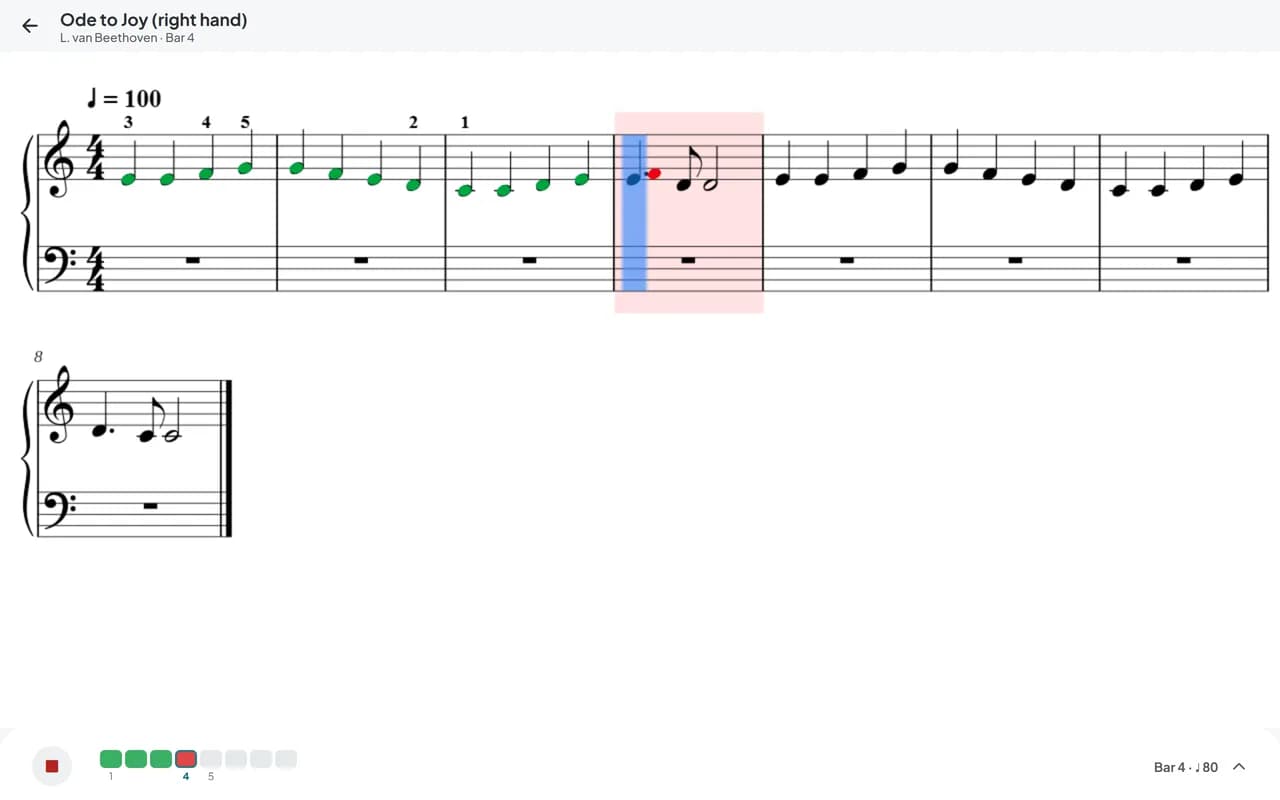
Step 3: See what went wrong
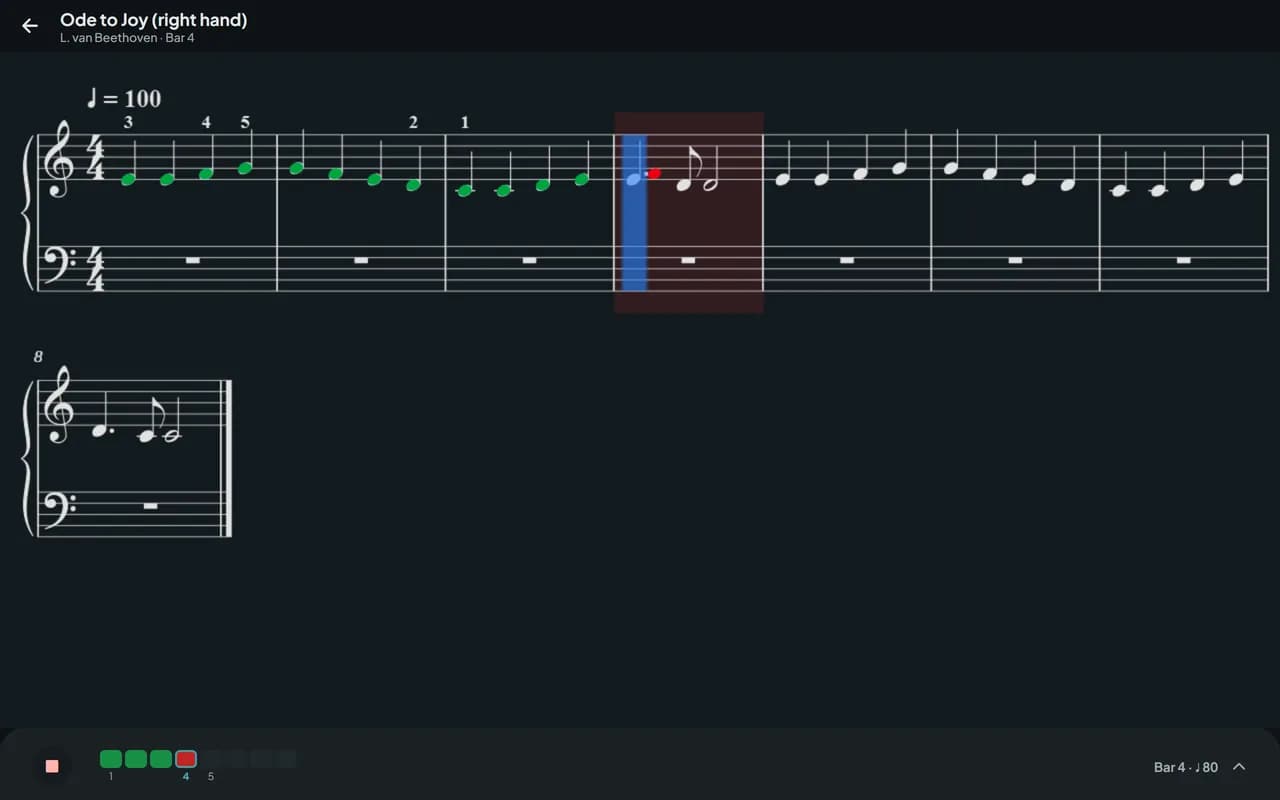
A wrong note is drawn on the staff where you played it: an E, not an F.
It keeps up with you, not the other way round
Go back, skip ahead, stop to think: it finds you again without a tap.
- Follows restarts, skips and repeats
- Loops with a tempo ladder: clean passes speed it up
- A mistakes map, and what to practise next
- score files checked
- 1,300+score files checked
- recorded performances
- 235recorded performances
- of their notes followed
- 96–98%of their notes followed
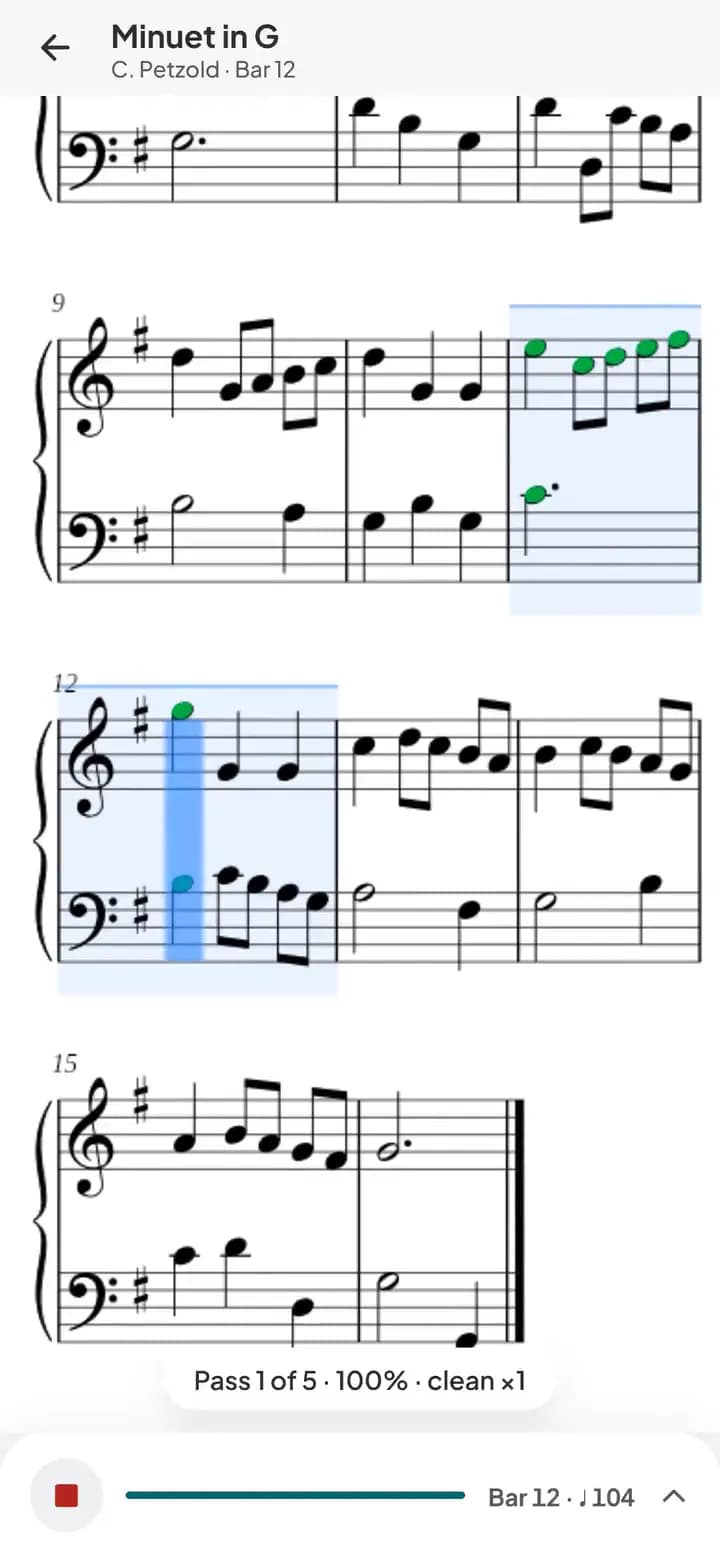
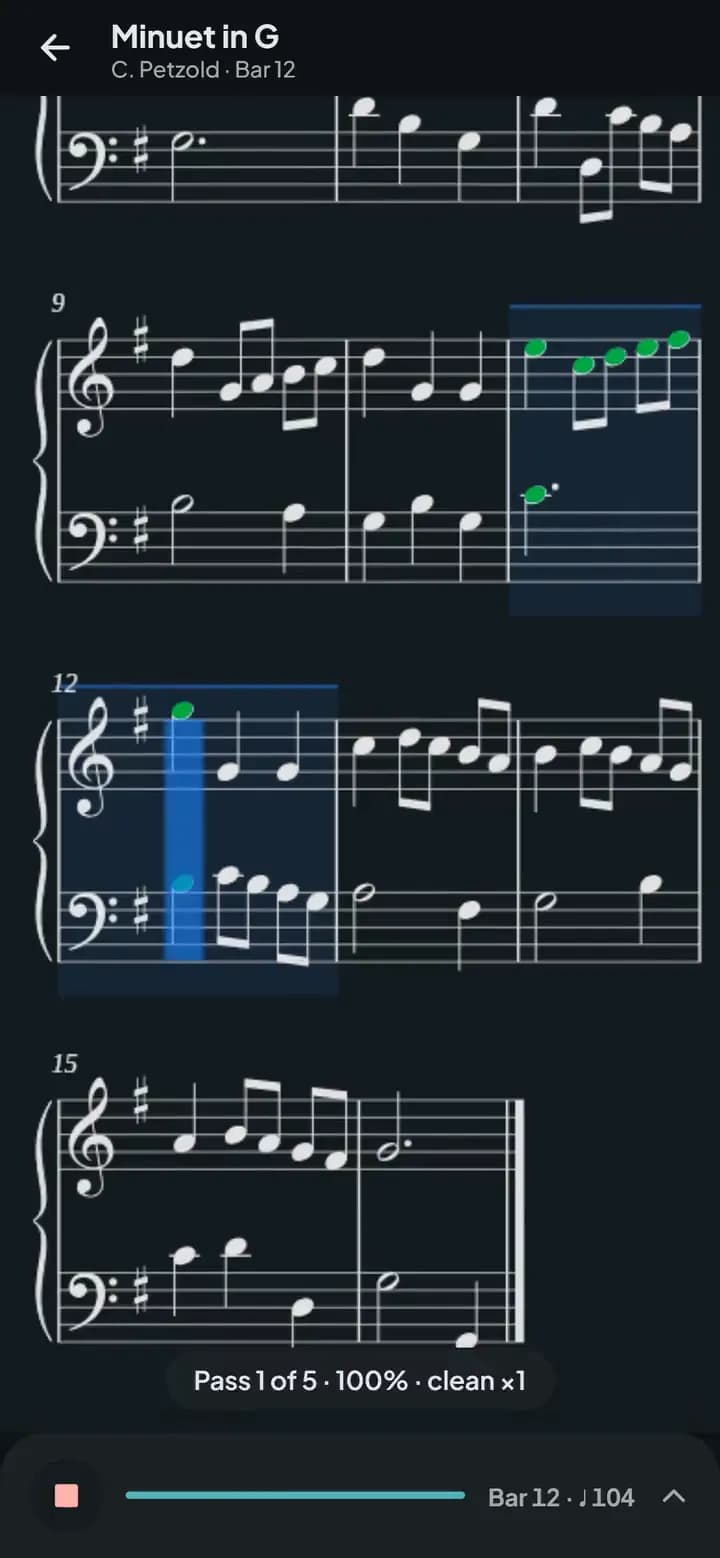
Bars 11 and 12 of the Minuet in G looped at quarter note 104. Every pass is green; after three clean passes the app raises the tempo to 105% by itself and counts in again.
- Right
- Wrong
- Missed
- Early
- Late
Learn it, play it, then read something new
Every piece opens in three modes. Switch between them with one tap, the same way you'd work through a piece with a teacher.
Practice
Wait for me on: the cursor holds on each chord until you play it. No clock, no pressure.
Play along
A count-in, a metronome and strict time, with every note marked. With Pro, the other parts play along.
Sight-read
No stops and no colours until the end, like reading something for the first time.
Bring the pieces you want to play
The piece your teacher handed you, a score you found online, a song you love: import it and practise it with every tool in the app.
MusicXML files
MusicXML from MuseScore, IMSLP or any notation app. Free, with no limit.
A PDF or a photoPro
Music recognition turns a PDF or photos into a score it can follow. If it's one of 2,175 editions we know, you get our clean edition instead.
A recording or audio filePro
Record yourself or pick an audio file, and get a first draft of the sheet music.
Score editorPro
Fix any note with your piano or computer keyboard, or write your own. Export MusicXML or PDF.
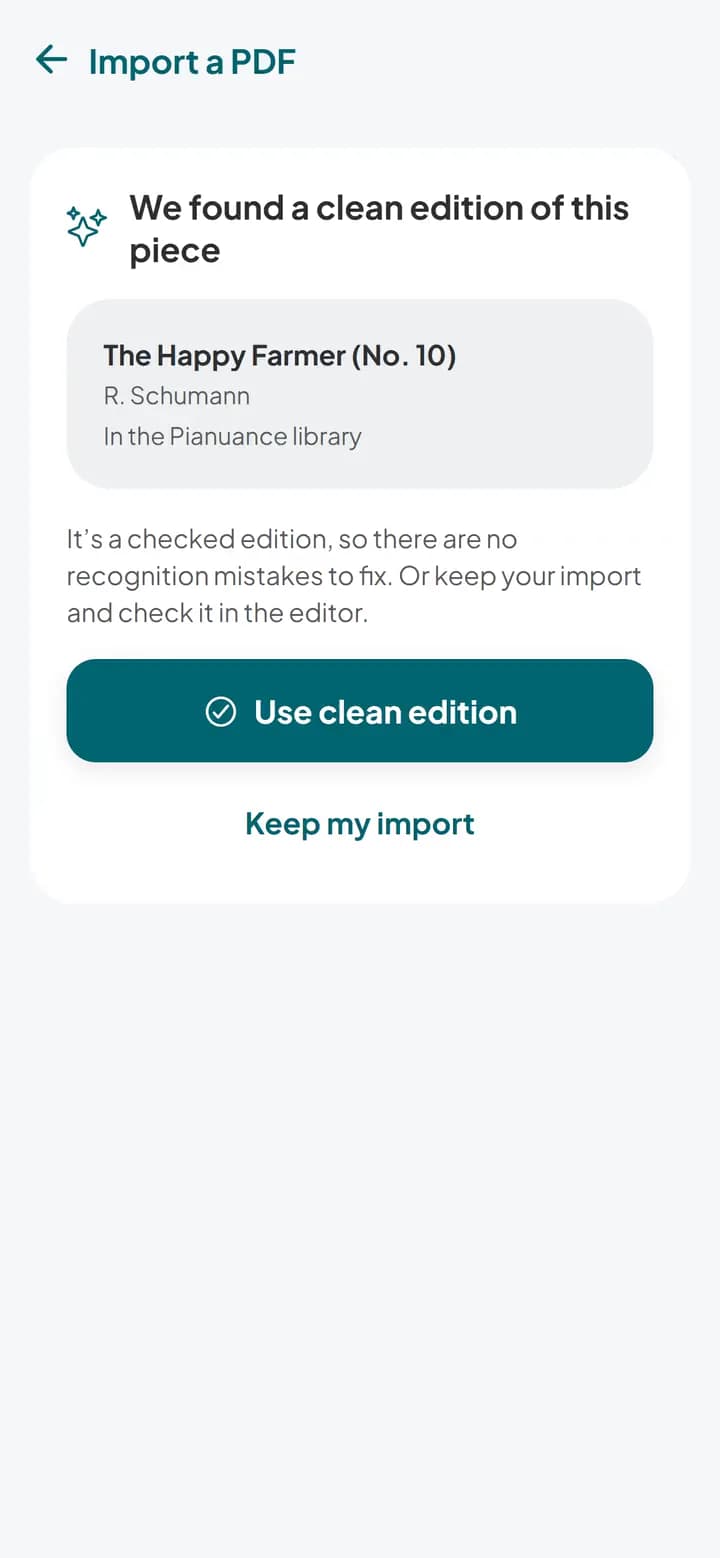
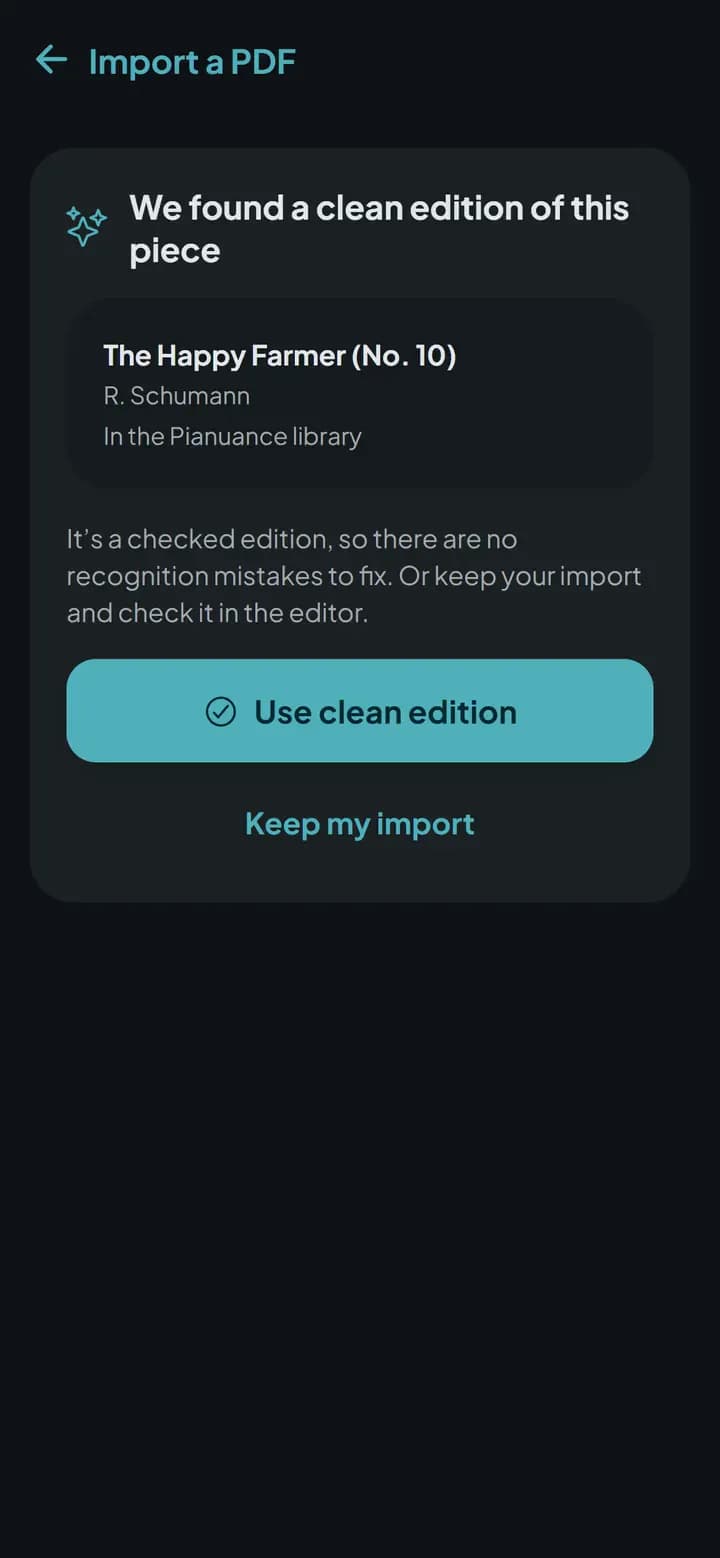
Music, Import, PDF sheet music: a PDF of Schumann's The Happy Farmer is chosen and music recognition reads it (about 20 seconds, cut from the clip). Pianuance recognises the piece and offers the checked clean edition from its library; one tap opens it, ready to practise.
Know how the week went before the lesson starts
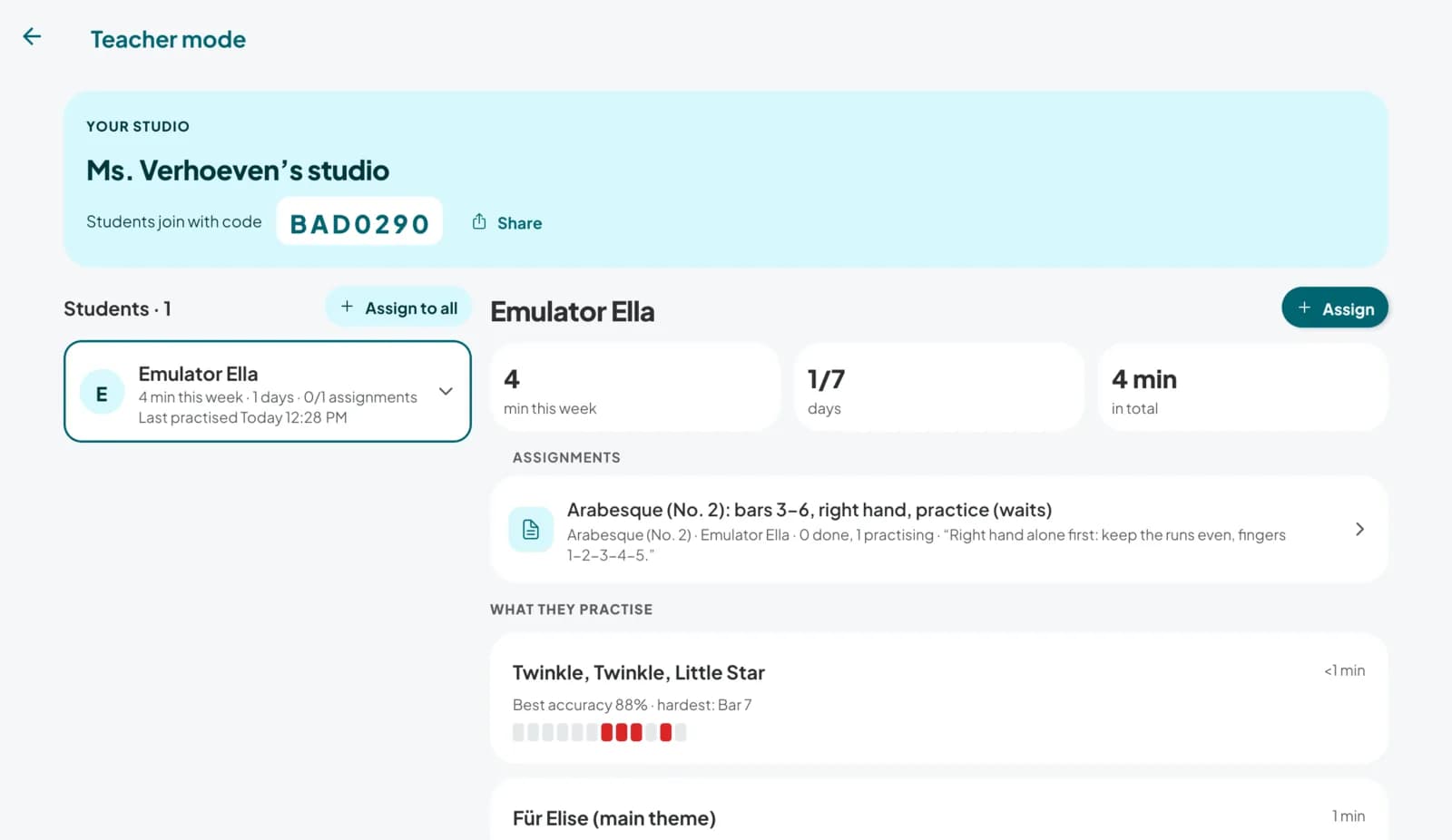
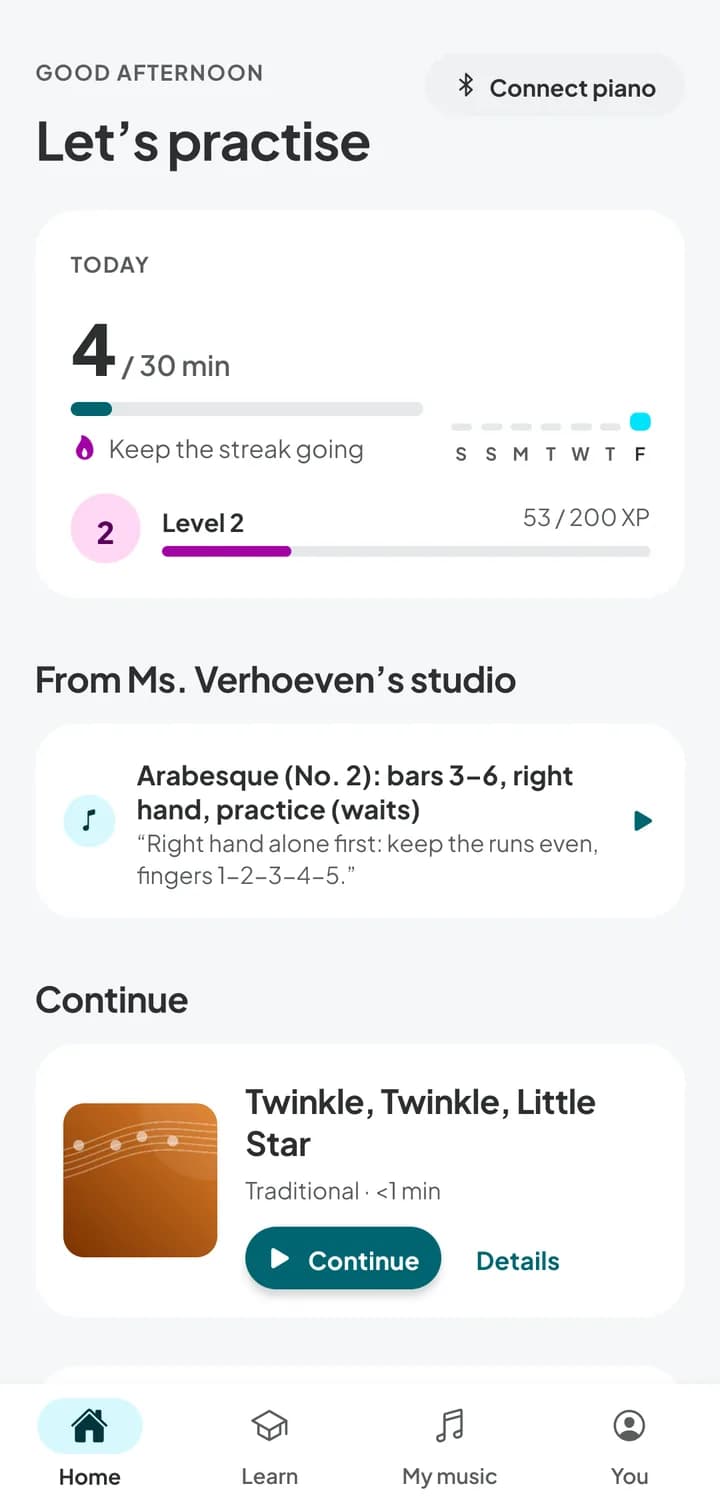
Create a studio and your students join with a code. You see their practice minutes and the bars where the mistakes pile up, and you send assignments that open on their phone, ready to practise.
- Practice minutes and mistakes per bar
- Assignments with bars, hands, tempo and a note
- Works with the piano they already have
One app for every screen near your piano
Phone, tablet or computer. Start on one, carry on at another.
For your Windows PC
Windows
Version 0.1.0 (test build)
Not sure? Choose this one.
Other versions
Install help
- Open the downloaded file.
- If Windows says “Windows protected your PC”: click More info → Run anyway. Test builds aren't signed yet.
- Portable version: unzip it and open
Pianuance.exe.
Other platforms
One account, every device. Your library, progress and settings sync between all of them.
From first notes to concert pieces
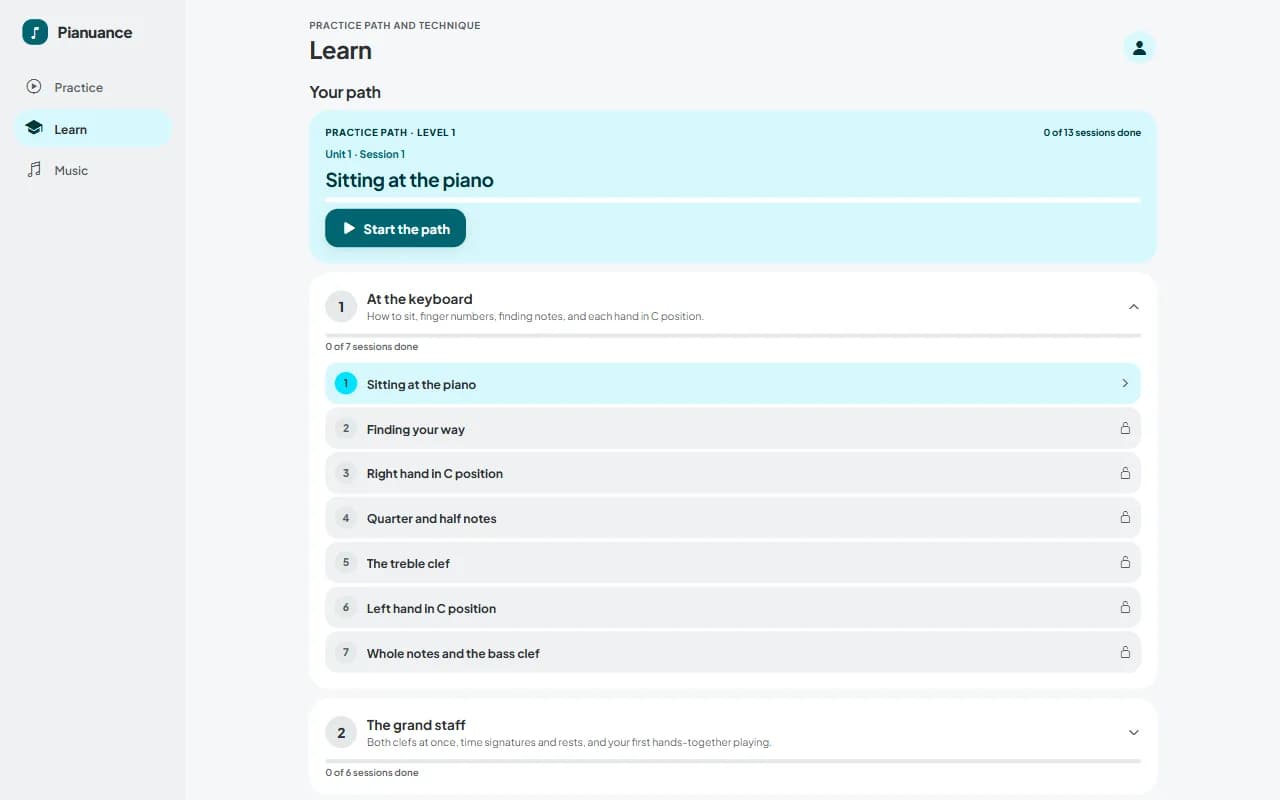
Starting out? The beginner path gives you a short idea, an exercise and a piece each session. Already playing? The intermediate path starts at level 4, with an étude, a piece and their scales in every step.
- 1
- 2
- 3
- 4
- 5
- 6
- 7
- 8
- 9
- 10
A library that's free to share
Every piece is in the public domain, in our own arrangements. There are Romantic art songs too: the voice part is played for you while you take the piano accompaniment.
Scales to studies, in every key
Scales, arpeggios, cadences and Hanon in all twelve keys, with fingering on every note. Each climbs a tempo ladder: play it clean and the next run is a little faster.
Method courses
The studies teachers have assigned for generations, in order. Pass one, and the next one opens.
- Carl Czerny
First Exercises, Op. 821
Eight-bar studies with one technical idea each. Short enough to play one every day.
- Friedrich Burgmüller
25 Easy Studies, Op. 100
The studies nearly every piano student meets: real little pieces like Arabesque and The Graceful One, each built on one skill.
- Robert Schumann
Album for the Young, Op. 68
Character pieces Schumann wrote for his daughters, from The Happy Farmer to The Wild Rider.
- Pyotr Tchaikovsky
Children's Album, Op. 39
Miniatures full of colour: a morning prayer, a march of the wooden soldiers, a waltz and a polka.
Read better, hear better
The skills that make every new piece easier, in short sessions that fit around practice.
Sight-reading and exam prep
Tests in the style of ABRSM, Trinity and RCM grades, so the real thing holds no surprises. One pass, no stopping, marked note by note.
- Graded sight-reading tests, exam style
- A short reading exercise every day
- Leaderboards, if you like a little competition
Ear training
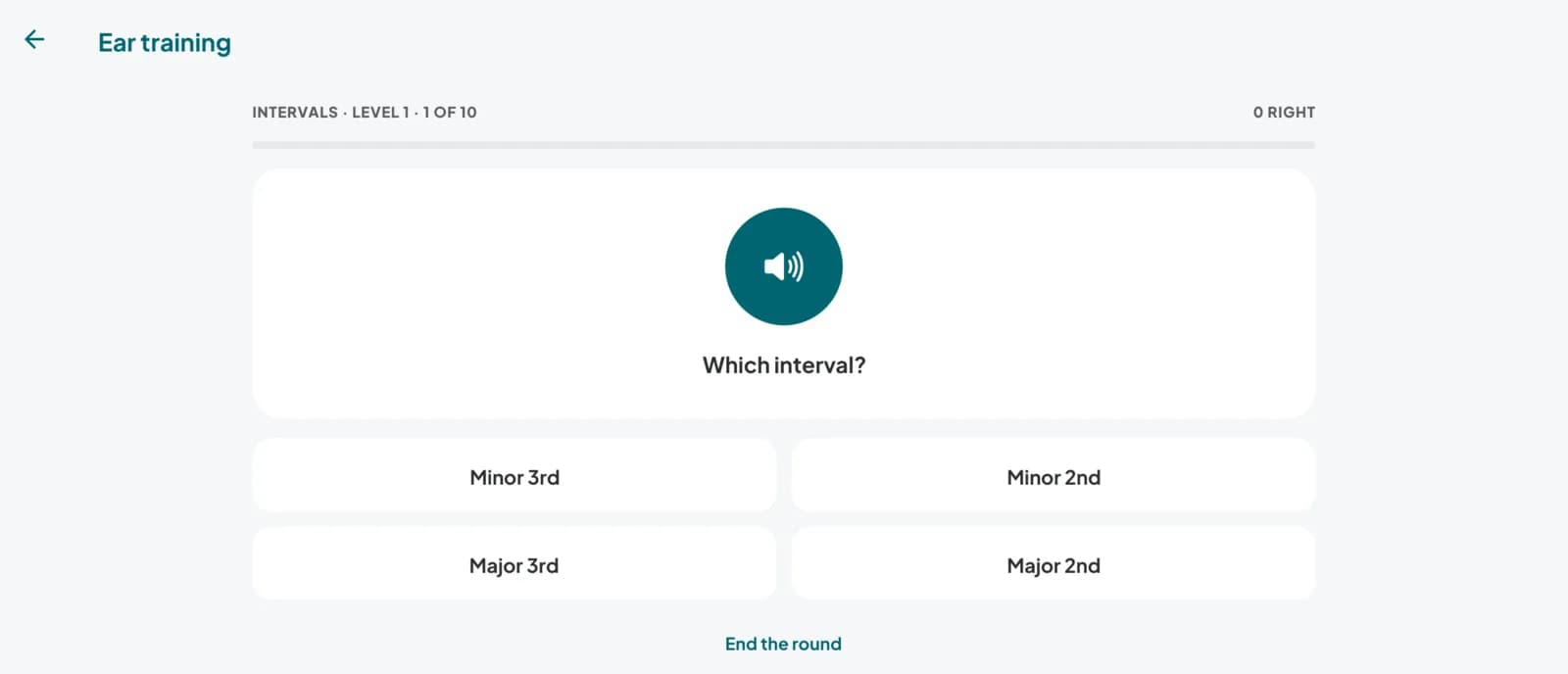
Hear it, then name it or play it back. Six kinds of drills, each with levels that grow with you.
- Echo
- Find the note
- Intervals
- Major or minor
- Meter
- Cadences
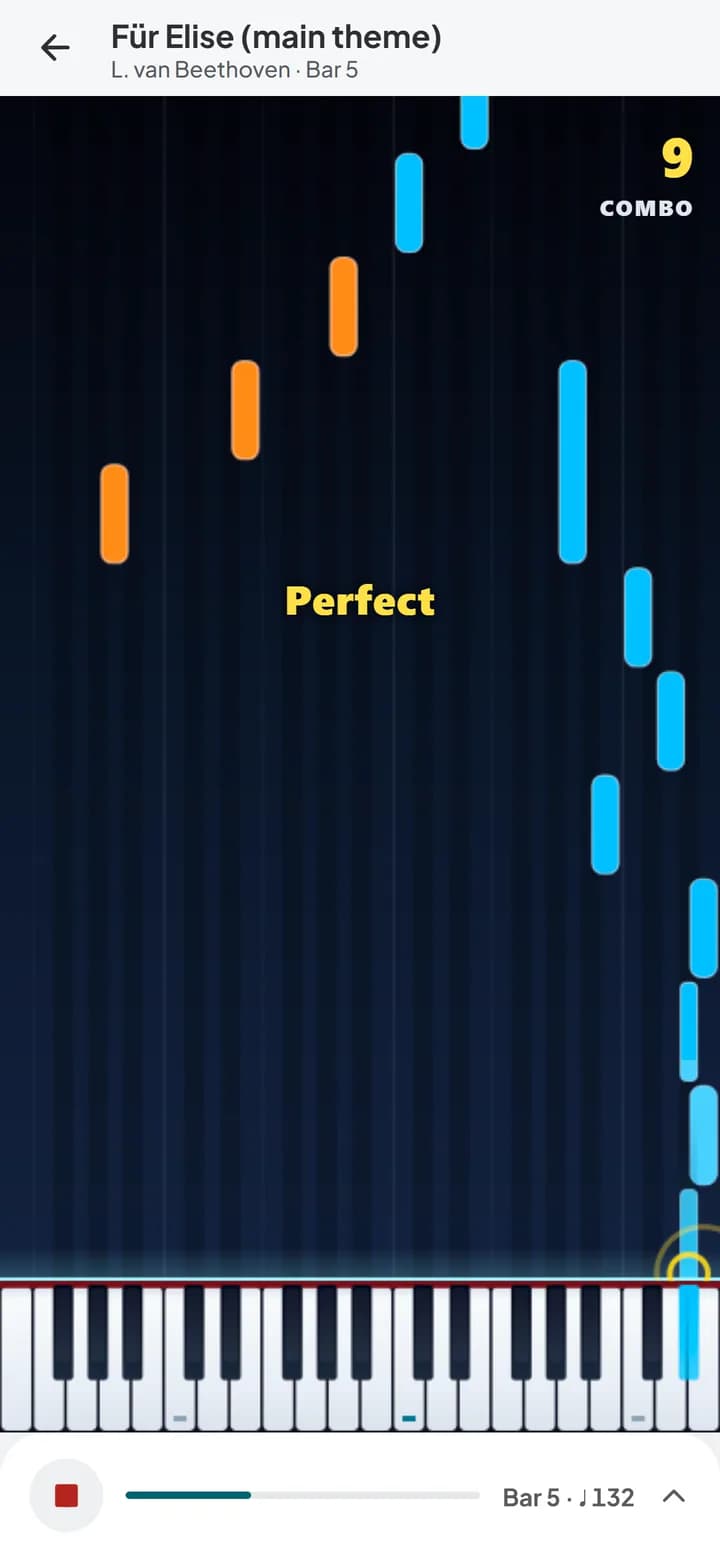
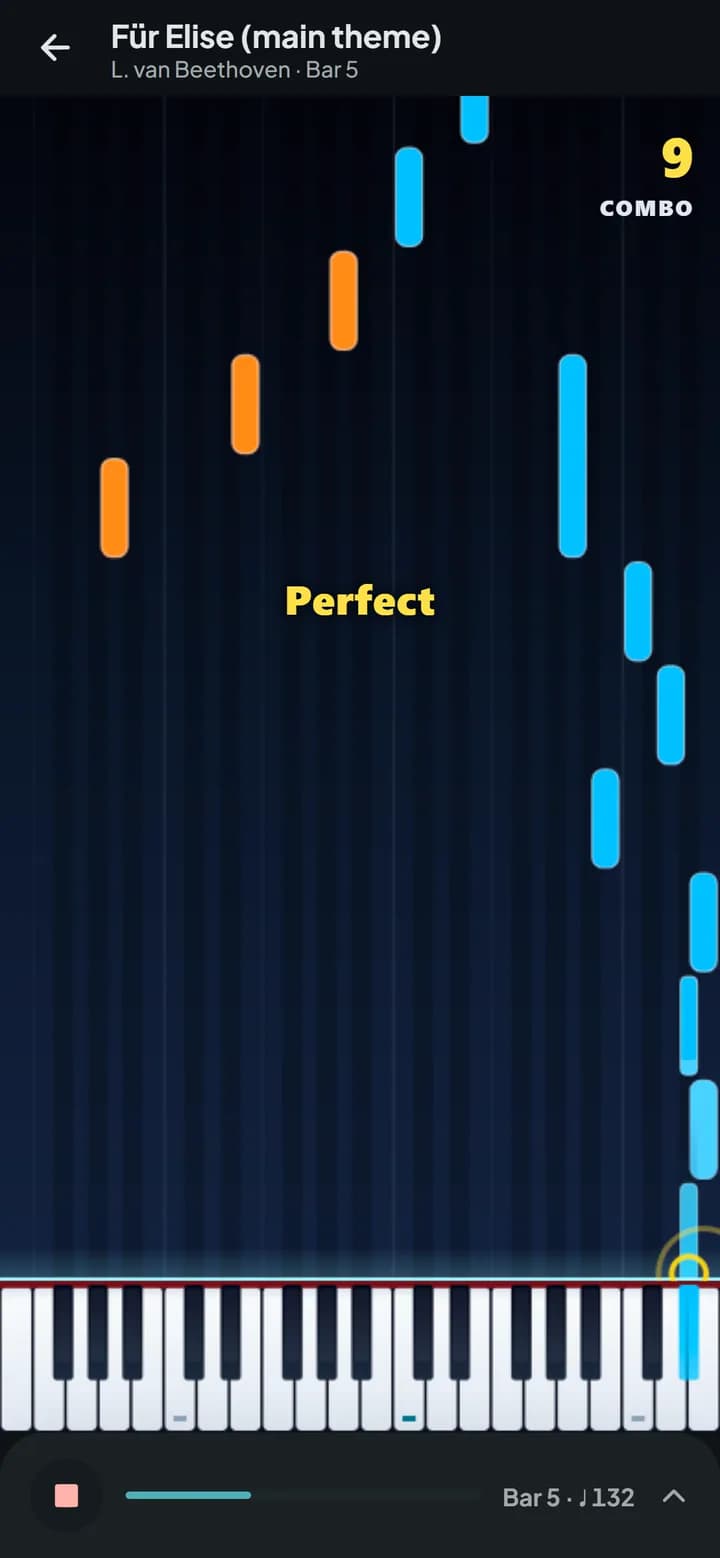
When you want a break: a falling-notes mode
Any piece can also be played as falling notes, on their own or under the sheet music. It's there for the days you'd rather just play; nothing else depends on it.
- Right hand in blue, left hand in orange. Note names on the blocks, or off once you know your way around.
- The same results as the score view: which bars to loop next.
The reading bridge
The blocks fade as your reading improves, until you're playing from the sheet music on your own.
Falling notes
Fading
Sheet music
All the tools a practice session needs
The small things that make the difference between practising and just playing through.
While you practise
- Tempo controlSlow it right down, then bring it back up. Tap tempo too.
- LoopsHold a bar, tap the last one. ×3, ×5, ×10 or until you stop.
- One hand at a timeLeft, right or both. The other hand can be played for you.
- Metronome and count-inWood, click, beep or hi-hat, each with its own volume.
- Mistake mapSee which bars trip you up, across sessions. Tap one to loop it.
- Play-along accompanimentProThe other hand or the other parts, in time with you.
- ListenProHear a piece or passage at your tempo before you play it.
- RecordingsProEvery run saved to play back, your best take starred. Keep the ones you want.
Your piano and devices
- Any MIDI pianoUSB or Bluetooth, any brand.
- No piano with you?Play on the on-screen keyboard, or your computer keyboard.
- Latency calibrationFair early and late marks, even over Bluetooth.
- Sustain pedalHolds notes in the app's piano sound and in replays.
- Works offlineOn iPhone, iPad and Android: practise anywhere, sync later.
- Synced progressLibrary and progress on every device you sign in on.
- Dark modeThe score turns to light ink on dark paper.
Start free. Upgrade when you need more.
Practise your own music for free, for as long as you like. Pro unlocks the whole library, play-along accompaniment, and PDF, photo and audio import.
Free
Everything you need to practise your own music.
$0for as long as you like
- Your own MusicXML scores, with no limit
- Practice, Play along and Sight-read on every piece you can open
- Loops, tempo control, one hand at a time and the falling-notes game
- The step-by-step beginner path, and levels 1 and 2 of the song library
- A daily reading exercise, and the first three exam-style grades
- Scales, arpeggios, cadences and Hanon in C, G, F and A minor, and three ear-training drills
- Sync across your devices with a free account
Pianuance Pro
Everything in Free, plus the whole library and the tools below.
- The whole song library and every method course
- Play-along accompaniment: the other hand or parts played for you
- Listen: hear any piece or passage at your tempo
- Recordings of every run, to replay with the mistakes marked
- PDF and photo import, and sheet music from a recording or audio file
- Exam-style tests for every grade, and reading tests whenever you like
- Scales, arpeggios, cadences and Hanon in every key, and all six ear-training drills
- Monthly$9.99per monthCancel any timeChoose monthly
- Best valueYearly$59.99per year7-day free trial, about $5 a monthStart free trial
The yearly plan starts with a 7-day free trial, and we remind you before it ends. Prices in US dollars; your store may show them in your local currency.
Questions, answered
What do I need to get started?
Which pianos work?
How do I connect my piano?
Which devices does it run on?
Does it run on Linux?
Web app or a download: what's the difference?
Does it work offline?
How accurate is the score following?
What happens to my data?
Is it suitable for complete beginners?
Won't the falling notes stop me learning to read music?
What about timing delays over Bluetooth?
Can my teacher use it with me?
What's included for free?
How does the free trial work?
Your piano is ready when you are
Start free on Windows, macOS, Linux or Android. Connect your piano, pick a piece, and play.
iPhone, iPad, Google Play and the web app are coming soon.